
Overview
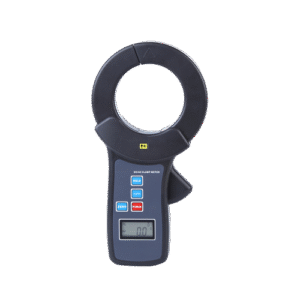
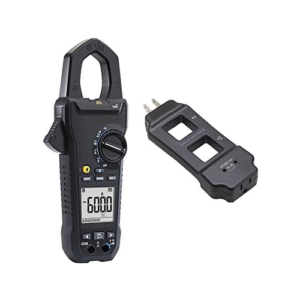
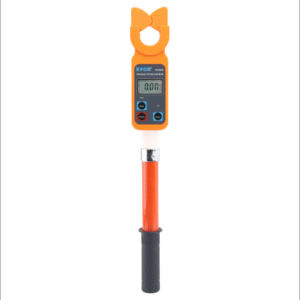
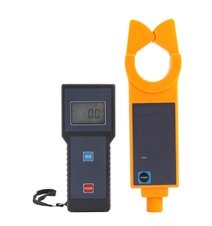
The Enviro Test Construct AC and DC Clamp Meter with Non-Contact Measurement is specially designed for measuring AC/DC current, leakage current, and repairing car circuits up to 600 V line voltage. It offers modern CT-technology and digital integration technology. It is used to detect current leakage in car circuits, consumed current detection, and quickly finding faults in broken wire current leakages. This clamp meter comprises of a RS-232 interface, communication cables, and software through which historical data is available for data reading, saving, and printing. This clamp meter complies with IEC1010-1, IEC1010-2-032, Pollution level 2, and CAT III (600 V) safety standards.
Key Features
- Measurement of AC/DC current ranges from 0 mA to 60 A
- Upto 600 V line voltage
- Small in size, High accuracy, strong anti-interference capability and automatic shifting
- Offers peak holding, data holding and data storage functions
- Four Digits LCD Mode
- Online real-time monitoring, Min-AVG-MAX indication and dynamic display
- Data stored in the memory of the meter uploaded to PC via RS-232 interface
- Automatic power off to lower the power consumption
- Test mode: Clip-on CT and non-contact measurement
- Clamp meter widely used in the fields of electric power overhauling, current detection in telecommunication room, meteorology, oil detection, Automobiles etc
- IEC1010-1, IEC1010-2-032, Pollution level 2 and CAT III (600 V) safety standards
Technical Specifications
| Test Mode | Clip-on CT, Non-contact measurement |
| Standards | IEC1010-1, IEC1010-2-032, Pollution level 2,CAT III (600 V) |
| Interface | RS-232 |
| Measurement Range | 0 mA to 60 A (AC/DC) |
| Test Position | Tested wire in the jaw center. |
| Clamp Size | 0.98 in × 1.38 in (25 mm × 35 mm) |
| Resolution | 1 mA (AC/DC) |
| Frequency | 45 Hz to 400 Hz (AC) |
| Accuracy | ± 2% rdg ±5 dgt 73.4 ˚F± 41˚F (23 ˚C ± 5 ˚C), below 75% RH |
| Line Voltage | 600 V (AC) |
| Working Current | 20 mA (maximum) |
| Sampling Rate | 2 times/second |
| Insulating Strength | AC 3700 V/rms (between the alloy of the clamp and the housing) |
| Data Memory | 99 units |
| Com-Configure | Baud rate: 9600 bps, Stop bit: 1, Check bit: NONE |
| Range Shift | Automatically |
| Display Mode | 4-digits LCD Mode |
| Out of Range Indication | OL (indicates on LCD) |
| Reading Hold Indication | DH (indicates on LCD) |
| Polarity Indication | “ -“ sign (auto identified DC current) |
| Auto Power-off | 5 minutes after power on |
| Battery | Zn-Mn dry battery, 6F22, 9 V |
| Weight | 6.35 oz. (180 g) |
| Dimension | 6.61 in × 2.56 in × 1.34 in (168 mm × 65 mm × 34 mm) |
| LCD Dimension | 1.38 in × 0.85 in (35 mm × 21.5 mm) Display domain: 1.26 in × 0.6 in (32 mm × 15 mm) |
| Operating Temperature Humidity | Below 80 % RH |
| Storage Temperature Humidity | Below 70 % RH |
| Operating Temperature | 14 ˚F to 122 ˚F (-10 ˚C to +50 ˚C) |
| Storage Temperature | 14 ˚F to 140 ˚F (-10 ˚C to +60 ˚C) |
| Limit Temperature Error | 14 ˚F to 32 ˚F (-10 ˚C to +0 ˚C) and 104 ˚F to 122 ˚ F (40 ˚C to 50 ˚C) within 2 % rdg |
Accessories
Package includes as follows
| Item | Quantity |
| Clamp Tester | 1 pc |
| RS232 Com cable | 1 pc |
| Battery (6F22 9V) | 1 pc |
| Software | 1 disk |
| User manual | 1 copy |
| Warranty card / Certification | 1 copy |
Field Application:

Structure of the Leaker:

- Clamp
- Toroid opening lever
- POWER key
- LCD
- USB interface
- DC current positive input indication
- HOLD key
- AC/DC switch key
- ZERO key
- Screw connect the upper and lower cover together
- Screw to fix the battery cover
- Battery cover.
LCD Display

- DC indication
- AC indication
- Low battery symbol
- Data hold indication
- Unit of current indication
- Stored data code
- Value of current
Operating method:
Start-up, Shut down:
- To start up the tester press the POWER Once switched on the power key the LCD begins to display.
- To shut down the tester press the POWER
- To reduce the battery consumption the leaker shuts down automatically after start up for 5 minutes.
- LCD sends the flick notes the leaker is going to shut down automatically after flickering for 30 seconds.
- By pressing POWER key when LCD is flickering the leaker will continue to work for 5 minutes.
- If the LCD displays dark after starting up, it is due to low voltage battery and change the battery immediately.
AC/DC switch:
The default measuring of current is DC current after start up the instrument. Press this key to switch the AC and DC current.
Reset:
Adjust the residual magnetism to zero using ZERO key and then conduct the measurement. Adjusting the ZERO key function to zero gives the more accurate result. After booting the meter and before measuring the current keep the jaw close to the DC current wire as shown in figure LCD will show an inductive current because of electric field interference. Clear the residual magnetism after measuring enormous current.
Measurement:
- Start up the meter. Choose the AC or DC key for the kind of measurement. Adjust the residual magnetism to zero.
- Release the toroid lever to open the clamp mouth and clamp conductors.
- Read the LCD data. In case if the display indicates “OL A “ symbol, the current of measured line is beyond the maximum limit of this leaker ,choose the leaker with much higher range limit.

Peak Holding:
Press the HOLD key continuously while measuring the current more than 3 seconds, the leaker captures the peak values of the current. Releasing the HOLD key returns to measuring state.
Hold, Storage, Access Reading and Deleting:
- By pressing HOLD key for a short time during measurement i.e.) less than 3 seconds “DH” symbol will display, the leaker hold measuring the current and the measured data automatically stored in the memory with a code
- By pressing the HOLD key again, release the hold state and the leaker continues its measuring.
- In case the stored data reaches 60 groups press HOLD key again “FULL” symbol denotes to storage memory is full.
- To enter into data access mode press HOLD key for long time. It displays Unit 1 data storage automatically and press the HOLD key again to turn the pages of stored data. “NULL” display denotes when there is no data stored in the memory. Power off the meter to exit data access mode.
- To clean up the data, enter into data access mode by pressing HOLD key less than 3 seconds all stored data get cleaned up. When the meter displaying “dEL” symbol, it means it has finished clean-up process, and returns to the measuring state automatically.
Data Upload:
Ensure the connection of PC and the tester with RS-232 communication wire is connected. Switch on the meter and run the software. If the connection is successful it can read the stored historical data, upload the data, store it and print.
The monitoring software has following functions
- Online real-time monitoring
- Historical query
- Dynamic display
- MIN-AVG-MAX indication
- Alarm setting and indication
- Data reading
- Saving and printing.